How to adjust your delivery route for increased flexibility

Amazon Flex puts delivery partners in the driver’s seat to deliver packages in the way that works best for you. One way we help do this is by allowing you to adjust how deliveries are grouped within your route in the Amazon Flex app.
For each delivery block that you check in for, you receive an itinerary in the Amazon Flex app with the details of your route. This includes the suggested stops, as well as the individual package drop-off addresses located around each stop, which are called “delivery locations.” Additional helpful information is also available in the app, including customer delivery instructions, and an interactive map.
The interactive map displays nearby delivery locations, so you can easily see the proximity of each one to the others and decide if you’d like to group them differently to better suit your preferences. To adjust a stop, tap “Edit stop” and select the delivery location from the list that you’d like to change. Once adjusted, select “Update,” and your changes will be reflected in your itinerary. While you’re able to regroup stops and delivery locations, you’re still expected to deliver all packages assigned from your route.
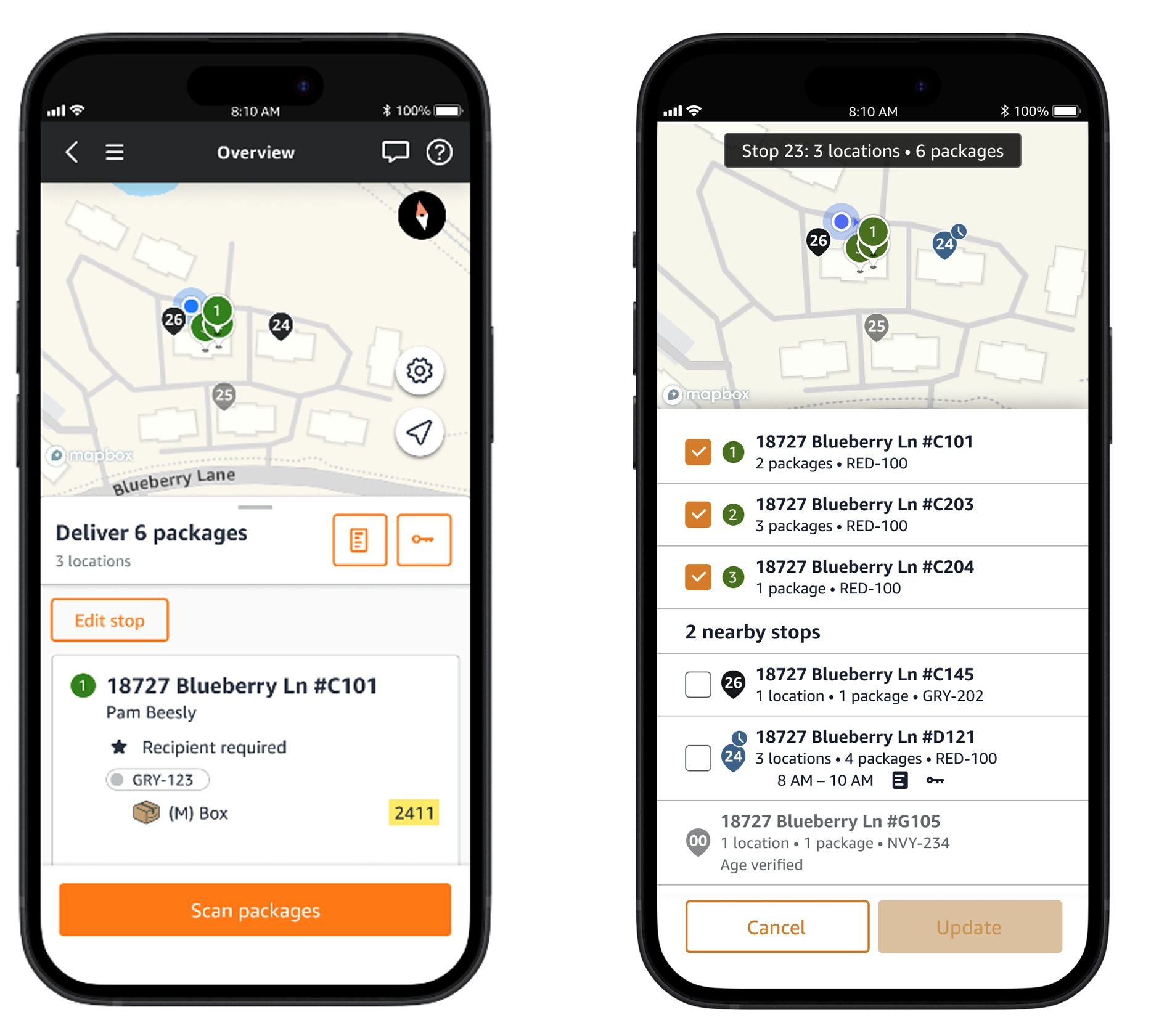
For additional information about how to adjust stops and delivery locations, review the “Making deliveries” section of the Learning Portal in the Amazon Flex app.
Related Blog Posts

Navigating to and from delivery stops with ease

New route start screens help you prepare for your delivery block

Navigating the package returns process with ease
Optimizing your delivery route

Navigating the package pickup process with ease

Navigating the package drop-off process with ease
Download the Amazon Flex app
Create an account to set your schedule, see your earnings upfront, and start delivering with confidence.