Navigating the package pickup process with ease
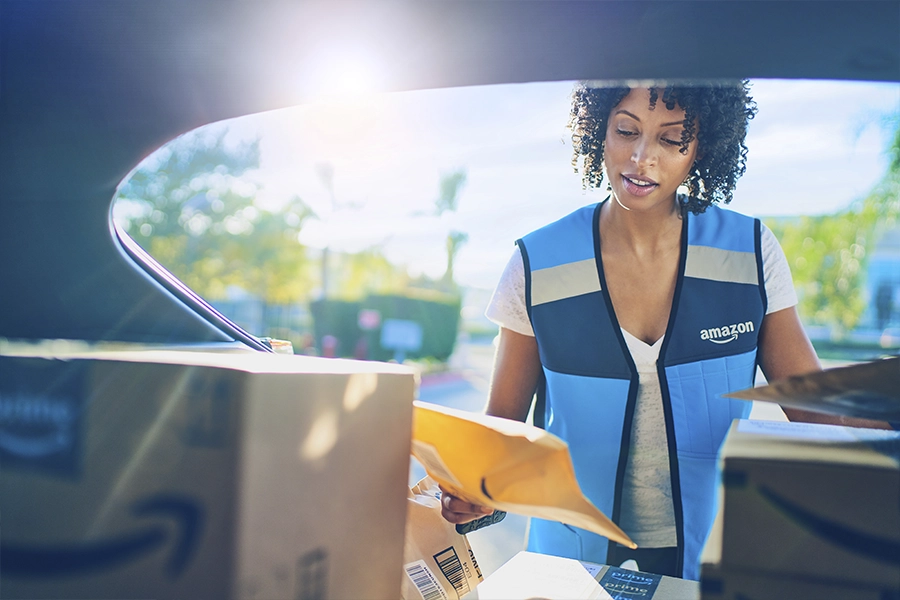
To help delivery partners navigate the Amazon Flex package pickup process with ease, we provide resources to help guide you through the steps. This includes checking in, receiving a delivery route of the stops you will make, scanning the packages you will deliver, and loading them into your vehicle. You have access to this information in the Amazon Flex app, including pickup process videos in the “Starting a Block” section of the Learning Portal which can be accessed at any time, as well as more specific guidance when you arrive at a pickup location for a scheduled offer. Here are some of the top suggestions to help save you time at the most common types of pickup locations, labeled as Amazon.com and Sub Same-Day deliveries.
1. Check the Amazon Flex app for pickup location access and parking details. The Amazon Flex app will notify you of your specific pickup location at least an hour before your delivery block begins. Helpful details, such as parking and access information, are also available in the app when you swipe up on the address while in navigation mode. For your safety, only swipe in the app when you’re not driving.
2. Arrive on time. You’re expected to arrive at the pickup location by the time your block begins, and you can check in up to 15 minutes early. It’s a good idea to check traffic conditions in advance, so you can plan your departure time accordingly.
3. Connect to the delivery station Wi-Fi, and have your driver’s license ready. To help ensure you have a good internet connection while picking up packages, we provide fast guest Wi-Fi that you can access by following the instructions on onsite signage. You can also save time by having your driver’s license ready to scan for the check-in process. At Amazon.com delivery stations, an Amazon associate will scan your license at your vehicle. At Sub Same-Day locations, you’ll scan your license yourself at a check-in kiosk.
4. Use the Amazon Flex app to locate the packages for your route. After you check in, you’ll be assigned a delivery route, and the Amazon Flex app will guide you on how to locate the packages you’ll deliver. If you’re at an Amazon.com delivery station, an Amazon associate will provide you with a cart of packages. If you’re at a Sub Same-Day delivery station, the app will help you locate the cart in a staging area.
5. Scan and load packages efficiently to save time. For Amazon.com deliveries, scan the QR code on the cart, then scan each package. We suggest using the “Driver Aid” number on the colored package label, in connection with the Amazon Flex app, to quickly see which packages go with each delivery stop and organize them accordingly. For Sub Same-Day delivery stations, once you have your cart, you only need to scan one package assigned to your route, and the remaining packages will automatically load into the app. Each package includes a label with the letters AAA, BBB, CCC, or DDD, and we recommend grouping packages together based on these letters to help you save time locating them while making deliveries.
If you need help at any pickup location, you can always contact driver support through the Amazon Flex app. Onsite personnel can also assist with pickup questions. For more information about pickup processes at each type of pickup location, view the videos and articles in the Learning Portal of the app.
Related Blog Posts
Thank My Driver is back!
Delivery partners can save at AMC Theatres
Thank you for 10 years of Amazon Flex
Download the Amazon Flex app
Create an account to set your schedule, see your earnings upfront, and start delivering with confidence.